

Instaladores
Obtenha as versões mais recentes do nosso software premium. A instalação é rápida e fácil:
1. Baixe o arquivo ZIP abaixo.
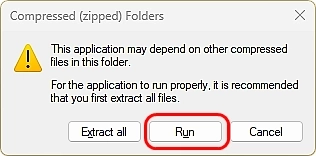
2. Abra ou descompacte o arquivo baixado.
3. Execute o arquivo de script "Install <Application Name>".
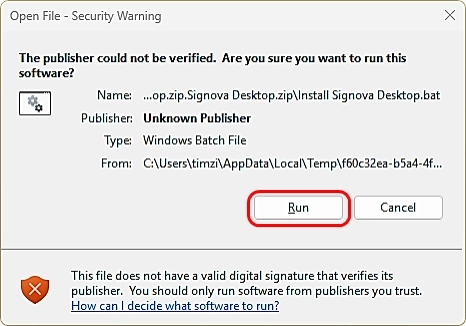
Se aparecer uma mensagem informando que o editor é desconhecido, basta aceitar e continuar.
Centro de Download de Tick Data
Seu MT5 Tick Data premium não é baixado aqui. Ele fica no centro de download dedicado dentro da sua conta. Faça login para selecionar e baixar qualquer símbolo em alta velocidade.
Para a instalação, siga as instruções passo a passo em nosso manual do usuário.